How ownMDM works
Most of ownMDM makes immediate sense once you know one thing: your Macs come to ownMDM, not the other way round.
Nothing is pushed at a Mac. Each machine wakes up on its own schedule, asks what it should be doing, does it, and reports back. Everything in this guide follows from that one decision.
Macs check in on their own
Every managed Mac runs a small agent that checks in regularly. On each check-in it does three things:
- Reports its state — macOS version, disk encryption, installed apps, who is using it.
- Asks what it should have — the list of software it is supposed to be running.
- Acts on the difference — installs what is missing, removes what should not be there.
This is why a Mac does not need to be reachable from your network, on a VPN, or awake when you make a change. A laptop in an airport lounge picks up the same instructions as one on your desk, the next time it checks in.
The trade-off is honest: changes are not instant. When you approve an app, you are updating what the Mac will be told the next time it asks. For fleet management this is almost always the right trade — it is what makes the system work for machines that are asleep, travelling, or off the network for a fortnight.
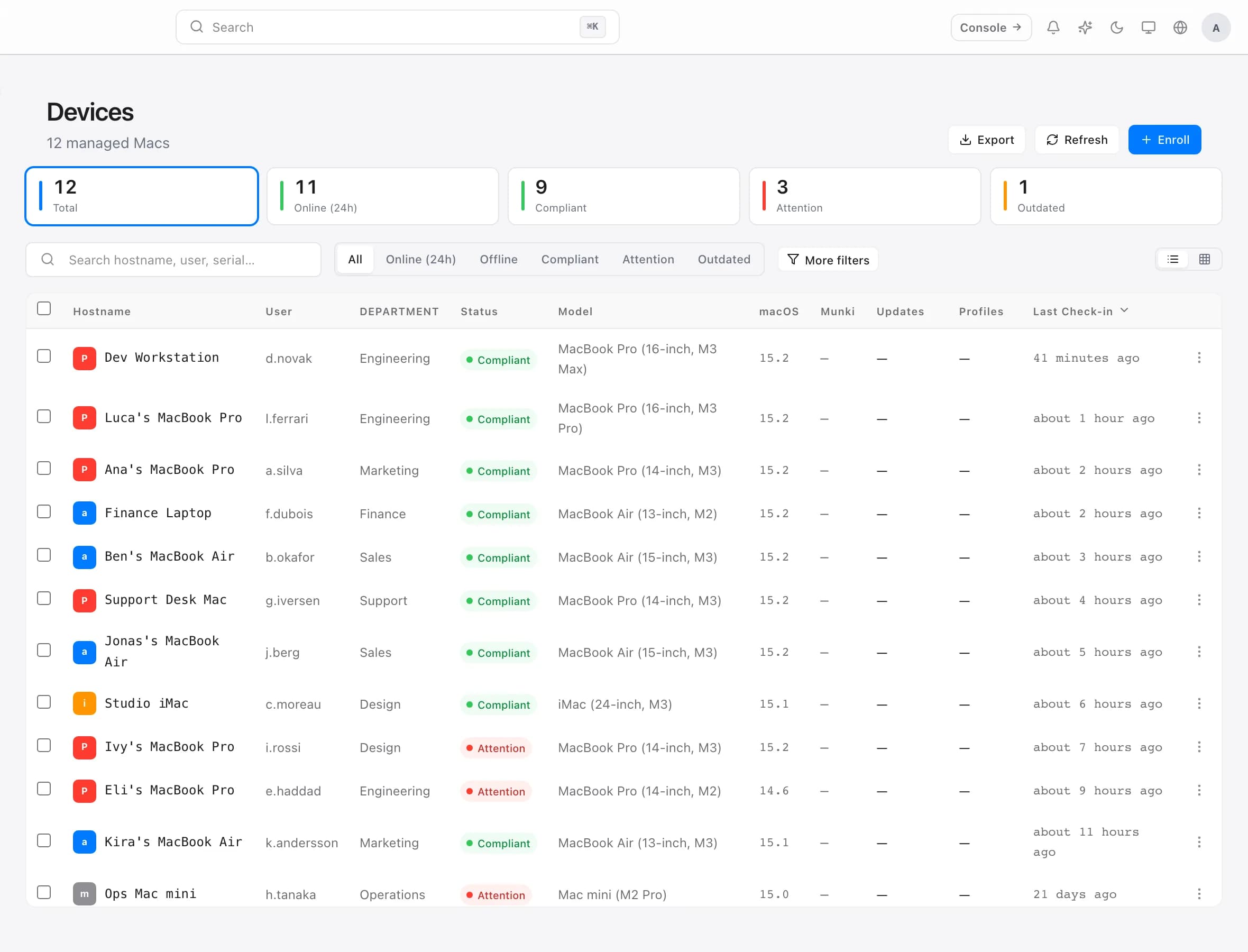
Every Mac has its own list
ownMDM keeps a per-machine list of what that Mac should have. It is not a group policy that machines are matched against at run time — it is a concrete list, written per device.
The practical consequences are worth understanding, because they explain several things that surprise people:
- Two Macs in the same department can differ. Approving something for one machine does not touch the other.
- You can always answer "why does this Mac have this?" — because something put it on that machine's list.
- Approvals are per-device or fleet-wide. There is no per-user approval, because the list belongs to the machine. If two people share a Mac, they share its software.
Software comes from a catalog
Apps are not uploaded per machine. They live in a catalog, in three layers:
- The shared library — apps ownMDM maintains, ready to adopt.
- Your catalog — what your organisation has adopted and approved.
- Department catalogs — narrower sets for particular teams.
An app becomes available to a Mac by being adopted into your catalog and then approved for that machine. Splitting "we allow this app" from "this Mac gets this app" is what lets you keep a broad catalog without every machine installing everything in it.
Saved filters describe, they do not contain
A saved filter is a question, not a folder. "Every Mac running an older macOS than we allow" is a saved filter; machines enter and leave it by themselves as their state changes.
This matters because you never have to maintain membership. You do not add a Mac to the out-of-date filter — it arrives there by being out of date, and leaves by being updated.
Compliance is the state, not the intent
Compliance answers one question: is this Mac in the state we expect? It is evaluated from what the Mac last reported, not from what you have asked for.
A Mac you approved an update for yesterday is still non-compliant today if it has not yet checked in and installed it. That gap is not a flaw — it is the honest distance between intent and reality, and it is exactly the thing worth watching.
Where the Mac's side lives
On the Mac itself, people see MacStore — a self-service app where they can install anything you have made available to them, without a support ticket and without an admin password.
What they can see there is the same catalog you control from the console. Anything they cannot see, they can request; you decide whether it becomes available.
Putting it together
A change you make follows the same path every time:
- You adopt an app into your catalog.
- You approve it for a Mac, a department, or the whole fleet.
- That machine's list is updated.
- The Mac checks in, sees the difference, and installs it.
- It reports back, and the console reflects reality.
If something has not happened yet, step 4 is almost always the answer — the Mac has not checked in since you made the change.