Users, roles, and permissions
Access in ownMDM is built on one distinction: being able to see something is not the same as being able to change it. Almost every question about permissions resolves once that is clear.
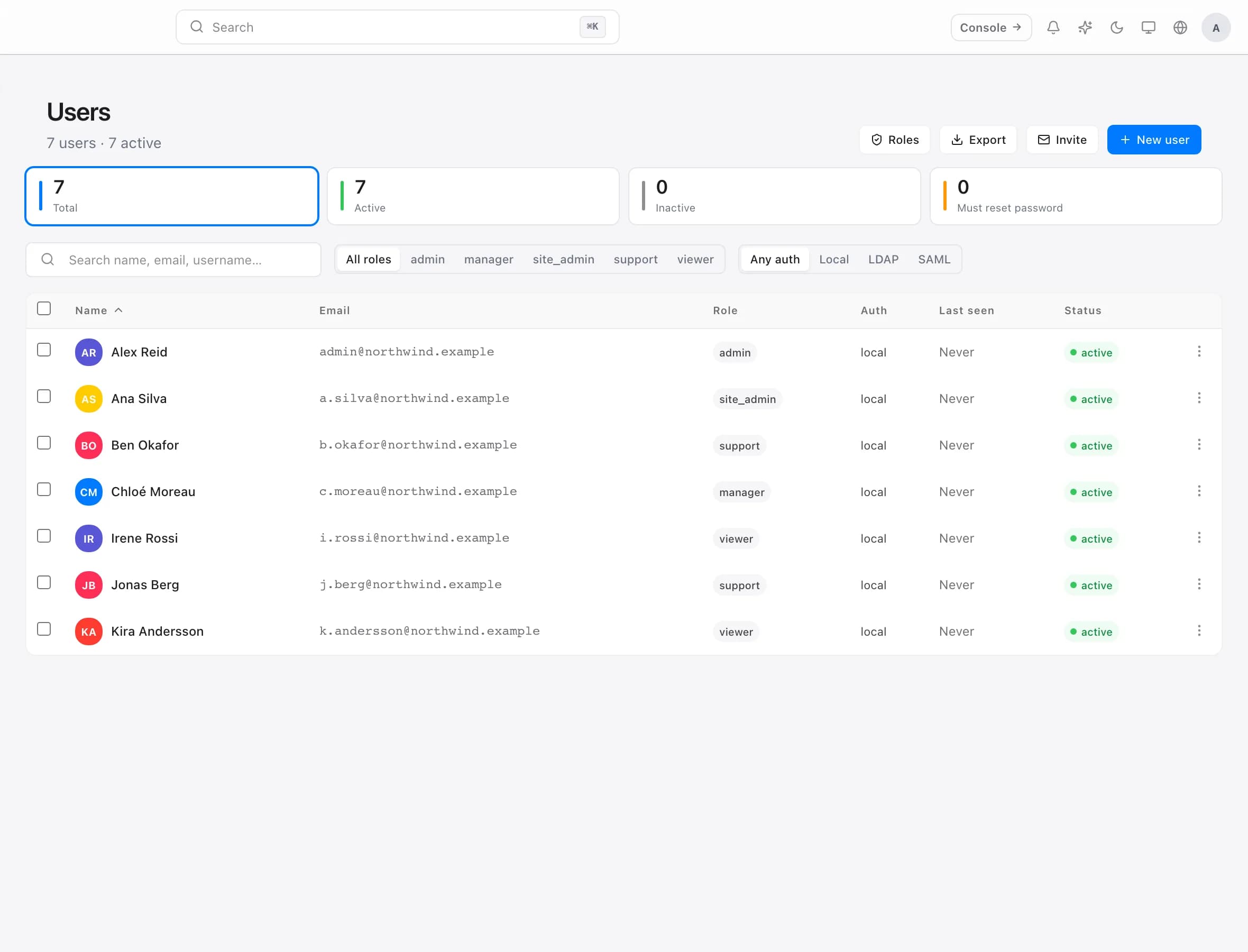
The roles
Roles are ordered. Each can do everything the one below it can, plus more:
- Viewer — reads the fleet. Cannot change anything.
- Support — works with people and devices day to day, without reshaping the fleet.
- Manager — runs an area, including approvals within it.
- Site admin — full control, scoped to particular departments.
- Admin — full control across the organisation.
- Owner — everything, including billing and the settings that affect the organisation itself.
Start people lower than feels comfortable. Raising a role takes seconds when someone hits a wall; discovering months later that everyone is an admin is a much harder conversation.
View and manage are separate
Access is granted per area — devices, software, compliance, users, remote support — and each is granted at one of three levels:
- None — the area is not visible.
- View — read it, cannot change it.
- Manage — read and change it.
This is why someone can investigate a problem across the whole fleet while only being able to fix it in their own department. It is the most useful shape access takes in practice, and it is worth using deliberately rather than defaulting everyone to manage.
Scope it to departments where it fits. A site admin for Engineering sees and acts on Engineering machines. It is not secrecy — it is keeping people out of fleets they are not responsible for, where mistakes are expensive and easy.
Adding someone
Create the account, set the role, and scope it if the person's responsibility is narrower than the whole fleet. They set their own password on first sign-in.
For anyone with real power over the fleet, require two-factor authentication. An administrator account with a reused password is the shortest path into your entire estate, and it is the one control that pays for itself.
Single sign-on
If your organisation already has an identity provider, connect it and stop managing a second set of credentials.
ownMDM supports SAML 2.0 and LDAP. Each organisation binds its own provider, and accounts are matched on the username your provider asserts.
The reason to bother is not convenience, it is offboarding. When someone leaves, disabling them centrally should remove their access everywhere — including here. A separate local password is exactly the account that gets forgotten.
One rule worth knowing: an account belongs to the source it was created from. A directory account and a local account with the same name are different accounts, deliberately — so an assertion from your provider can never take over a local administrator.
Reviewing access
Access grows quietly. Someone needs manage for one afternoon, and keeps it for two years.
A review worth doing twice a year:
- Does everyone still work here? Leavers first.
- Does anyone have manage they no longer use? Drop it to view.
- Is anyone unscoped who should be scoped? Departments change.
- Who has owner? It should be a very short list, and you should be able to name every person on it.
The audit log tells you what was actually done, by whom. It is the fastest way to answer "who changed this" — and reviewing it occasionally, rather than only after an incident, is what turns it from forensics into oversight.
Troubleshooting
Someone cannot see a page. Their role has no access to that area, or they are scoped to departments the item is not in.
They can see it but every action is unavailable. They have view where they need manage.
A single sign-on user gets a new, empty account. The username your provider asserts does not match the existing account — accounts are matched on it exactly.
Someone still has access after leaving. Disabling the directory account stops future sign-ins. If they hold a local password as well, that account is separate and must be disabled here too.